Still Exploring? There's More.
Every collection at Elusive Wonders is a curated world of its own. From premium grooming to cutting-edge tech, cozy home essentials to statement accessories — there's always something extraordinary waiting to be discovered.


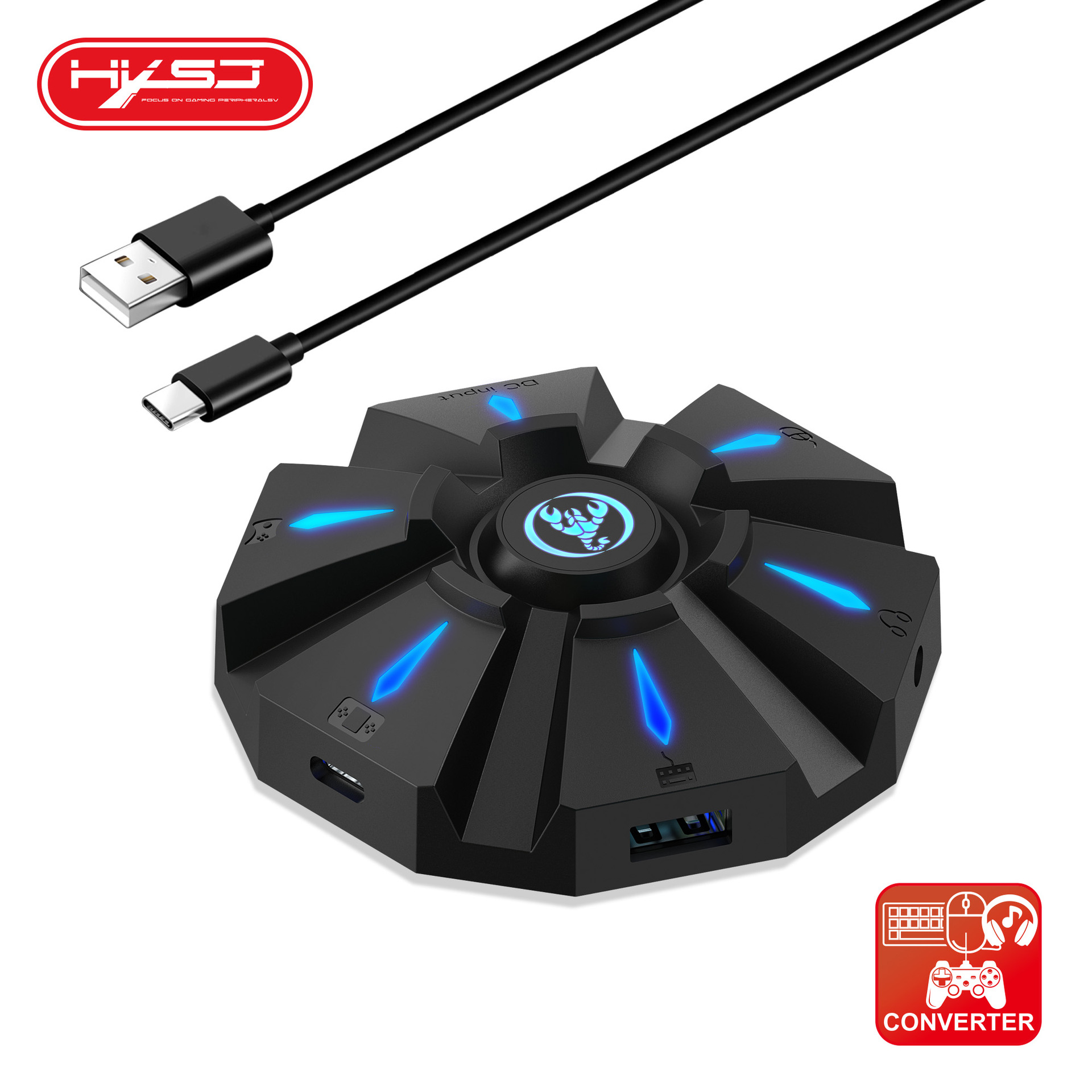
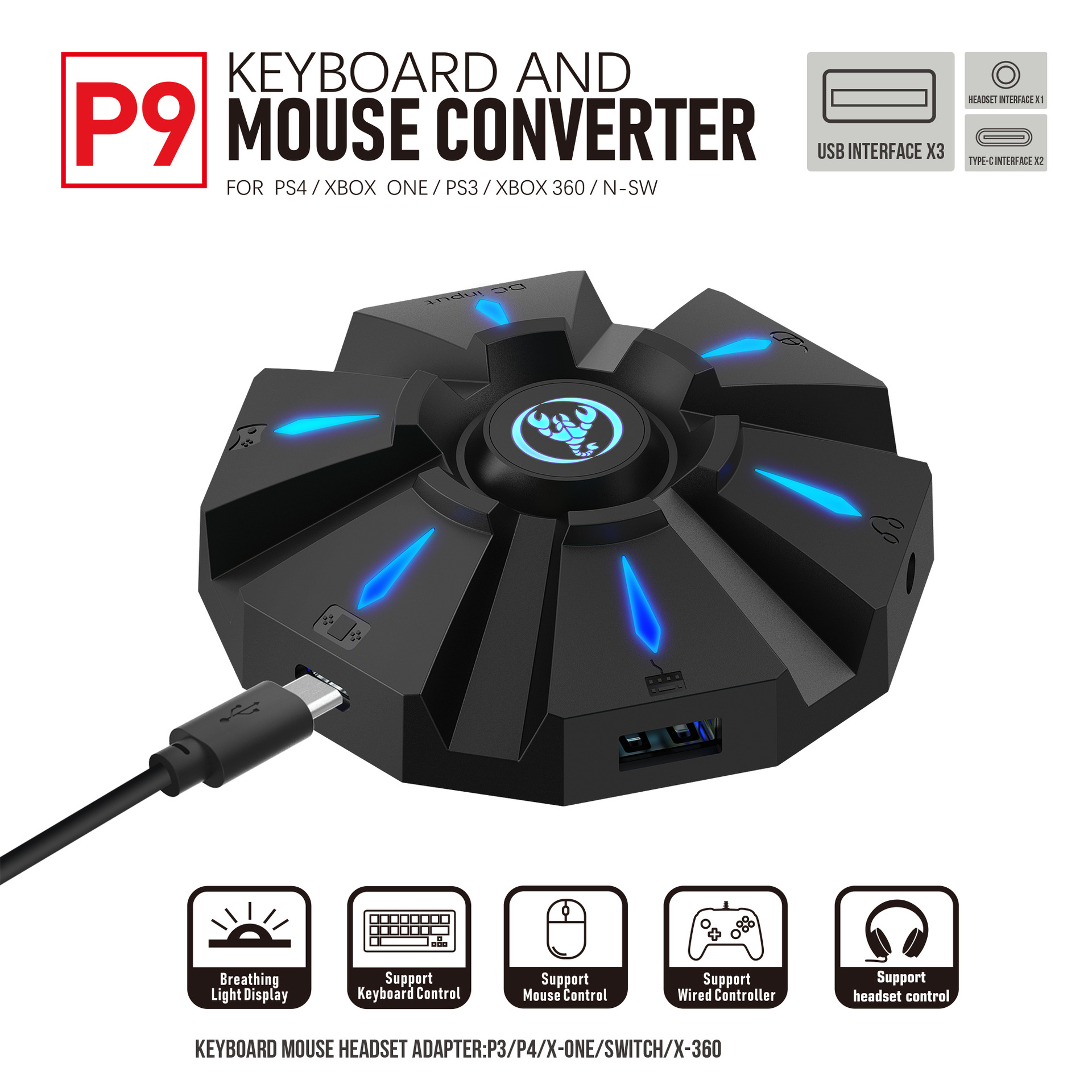
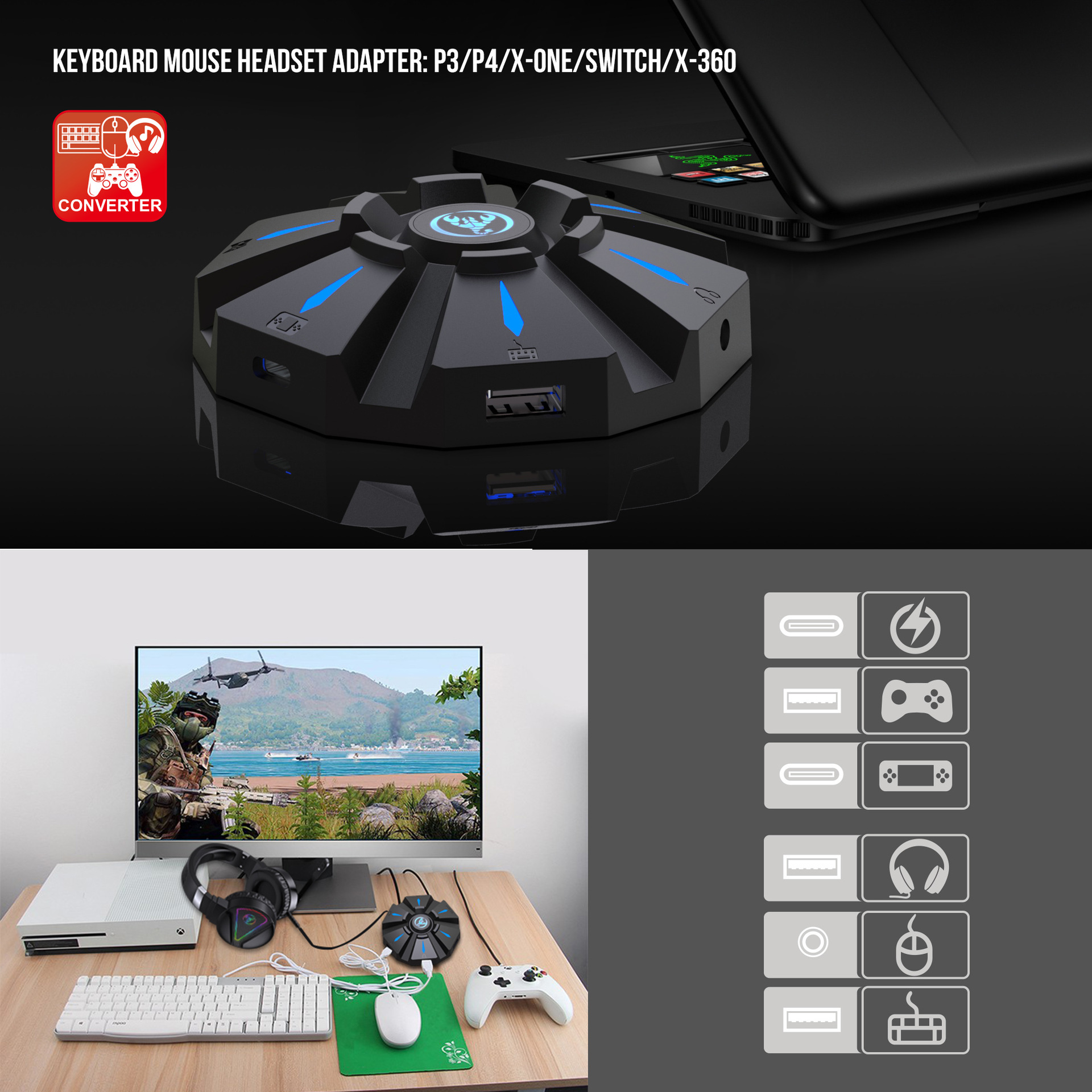
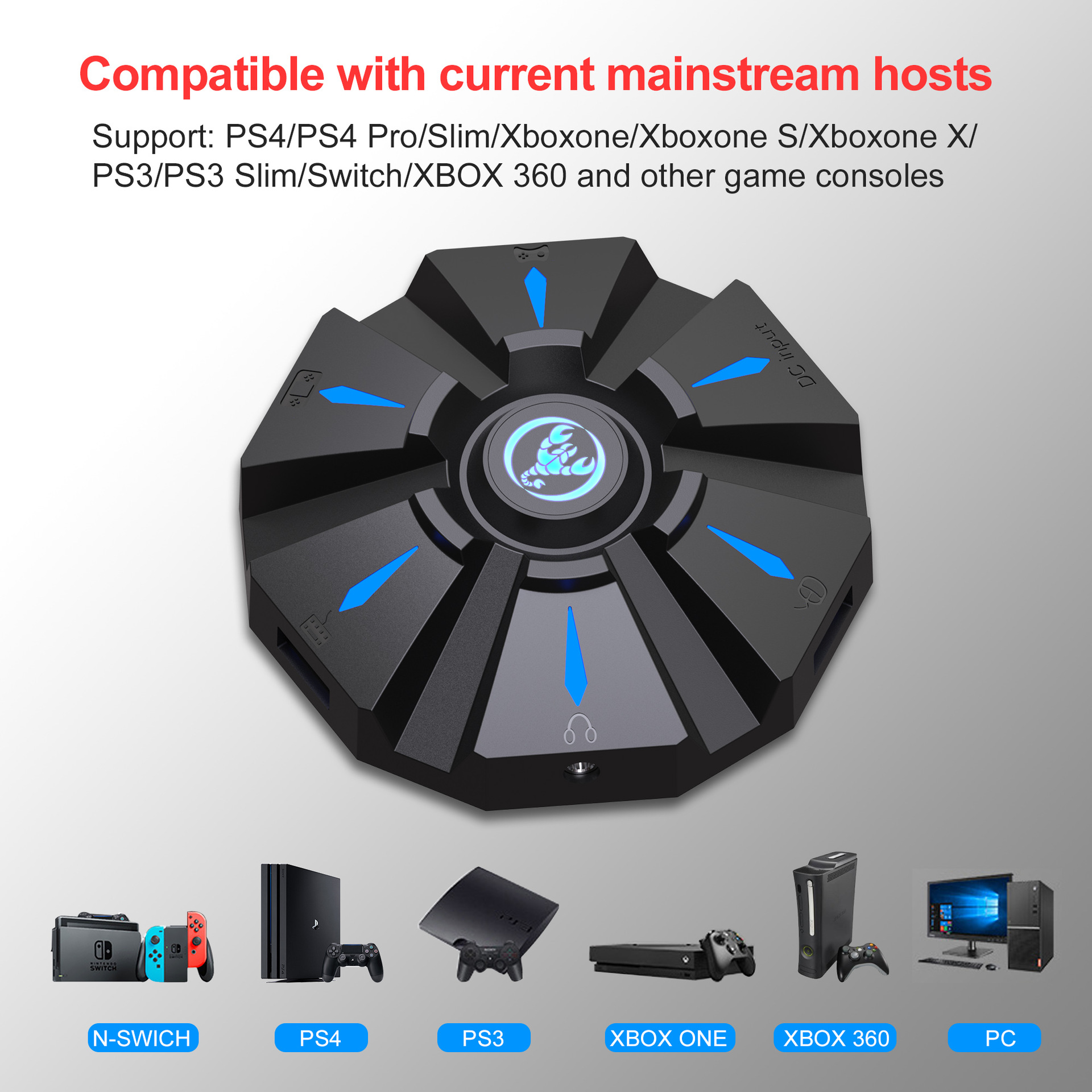
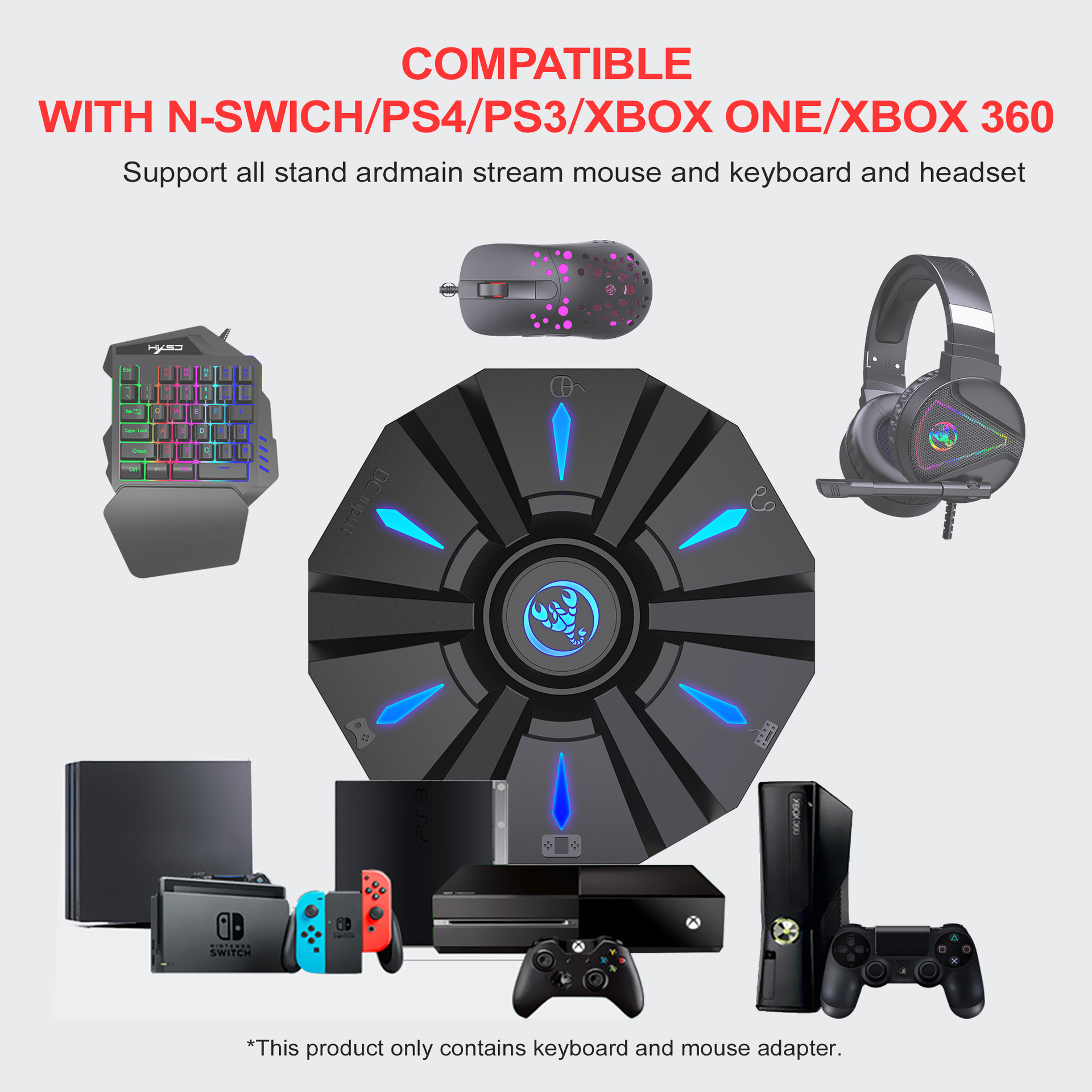
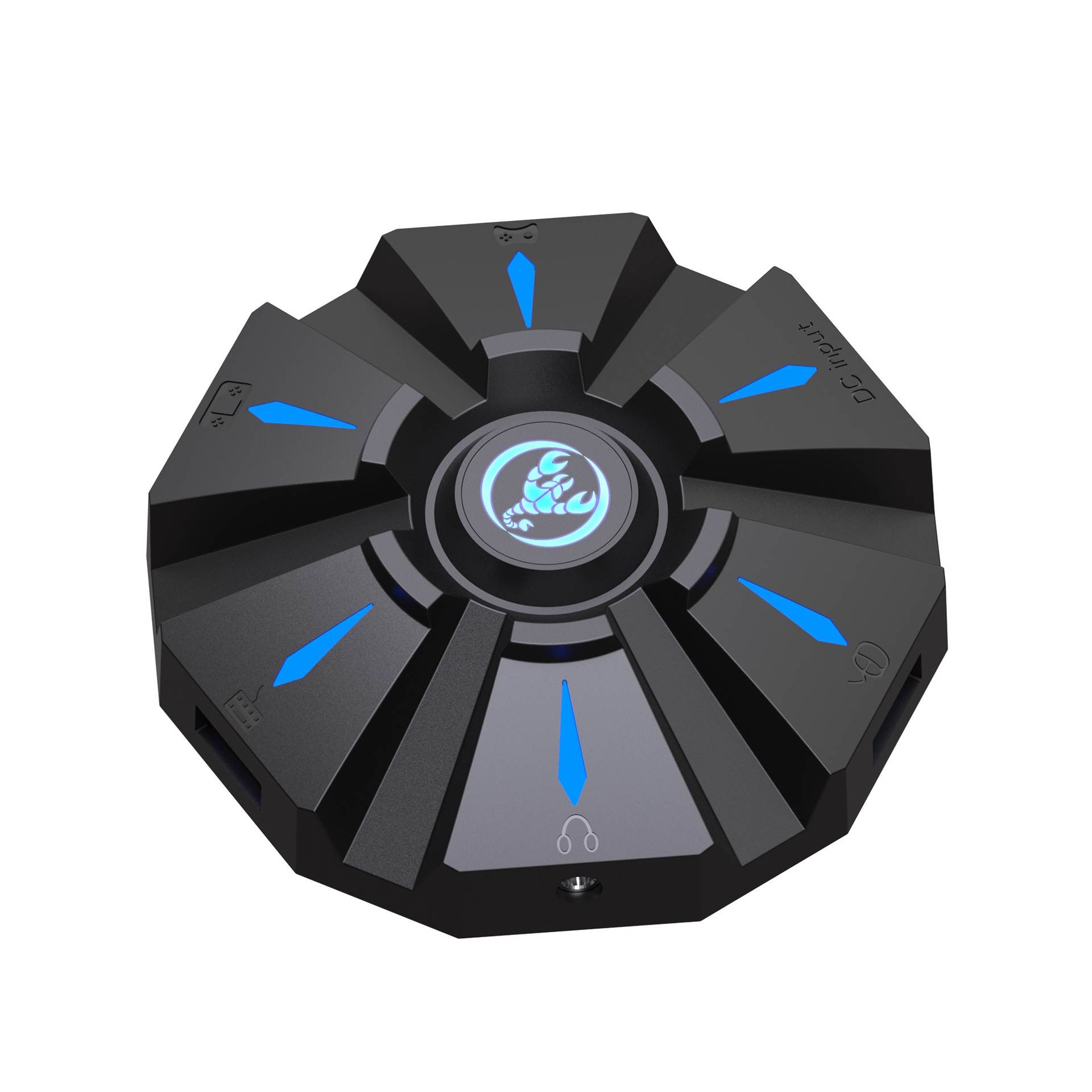
P9 keyboard mouse converter set supports various gaming devices and gamepads in the market
- Regular price
-
$36.68 - Regular price
-
- Sale price
-
$36.68
Specification:
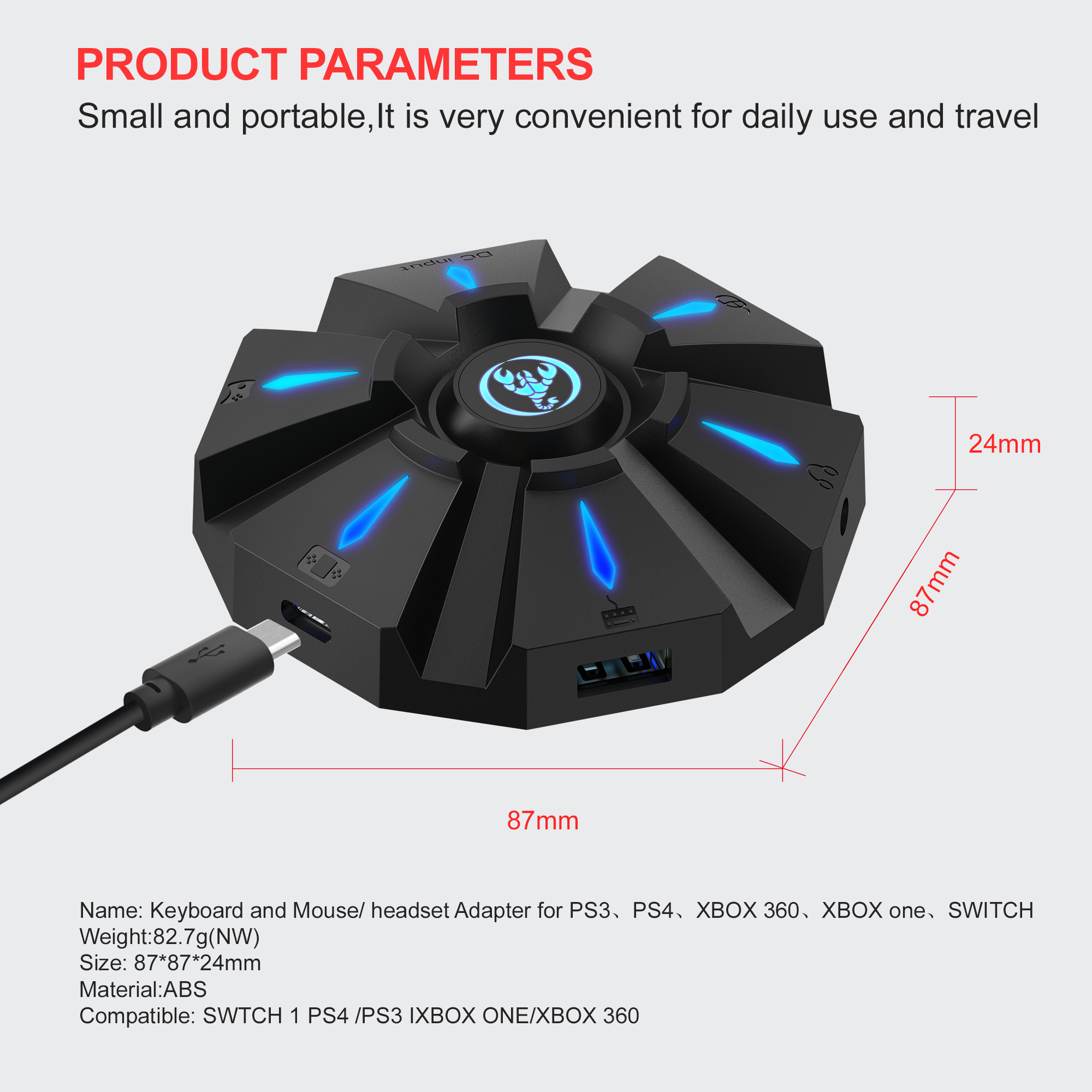
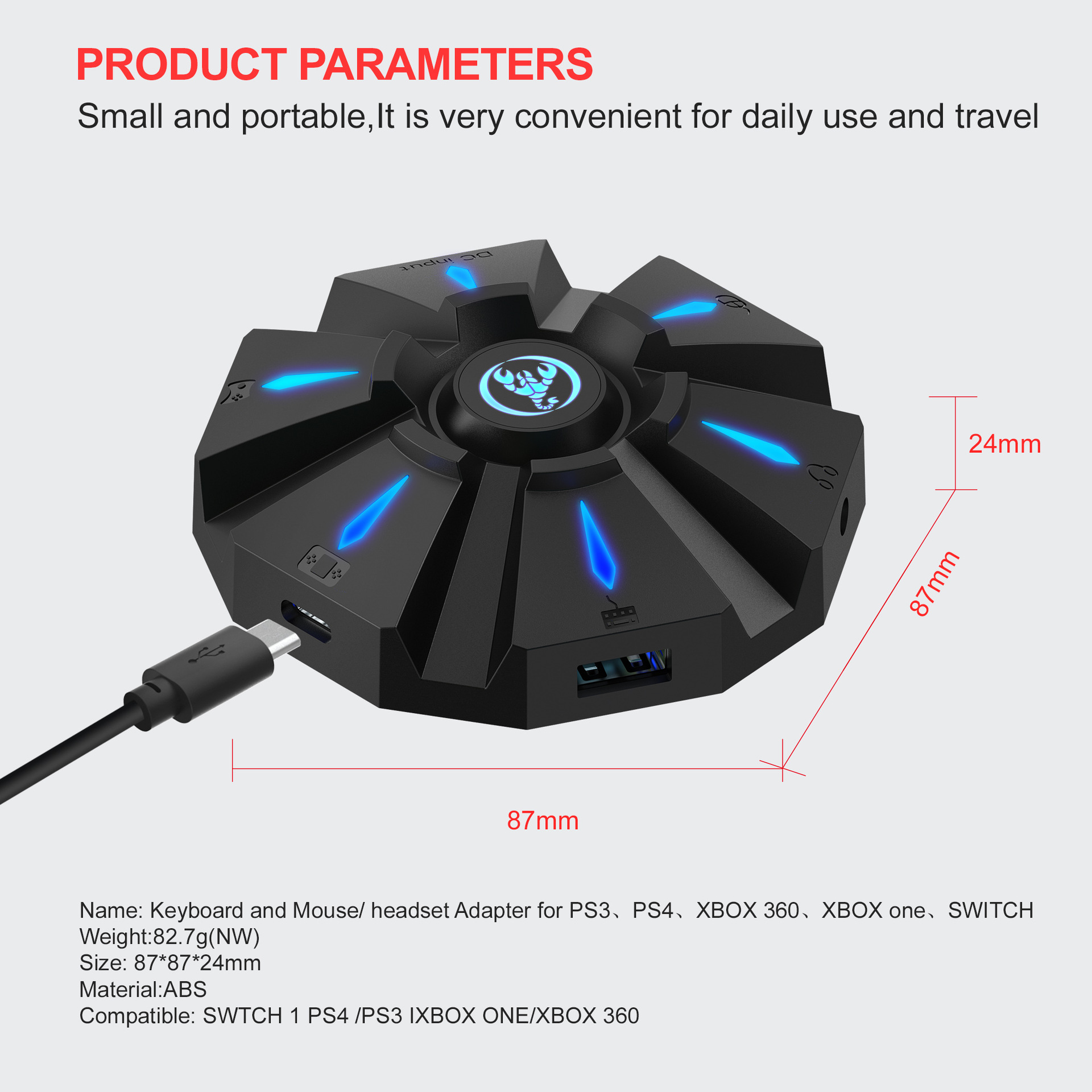
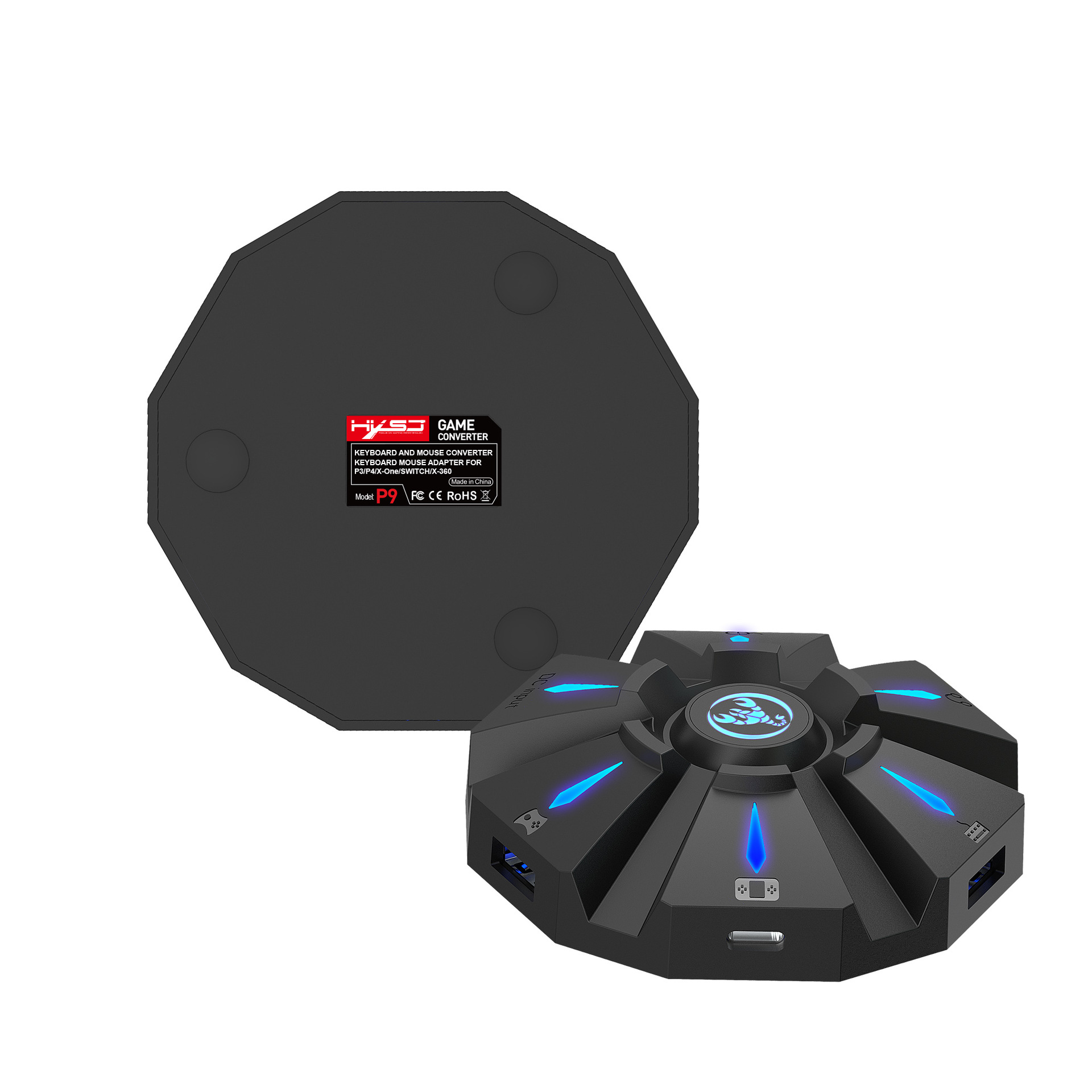
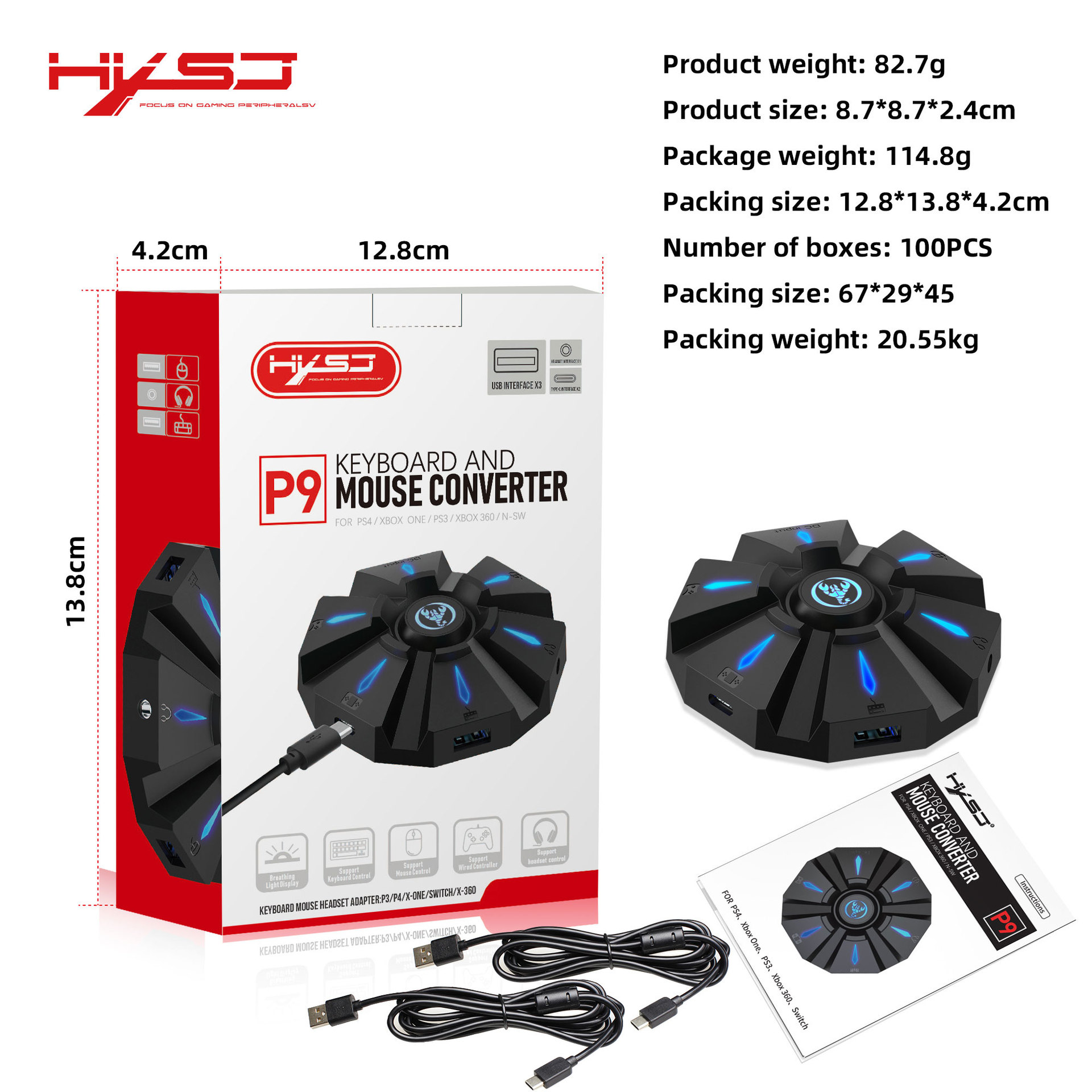
Item name: Keyboard mouse converter
Brand/Model: HXSJ/P9
Color: Black
Material: ABS
Product interface:TYPE-C charging interface
Rated voltage / current: DC 5V / 100mA
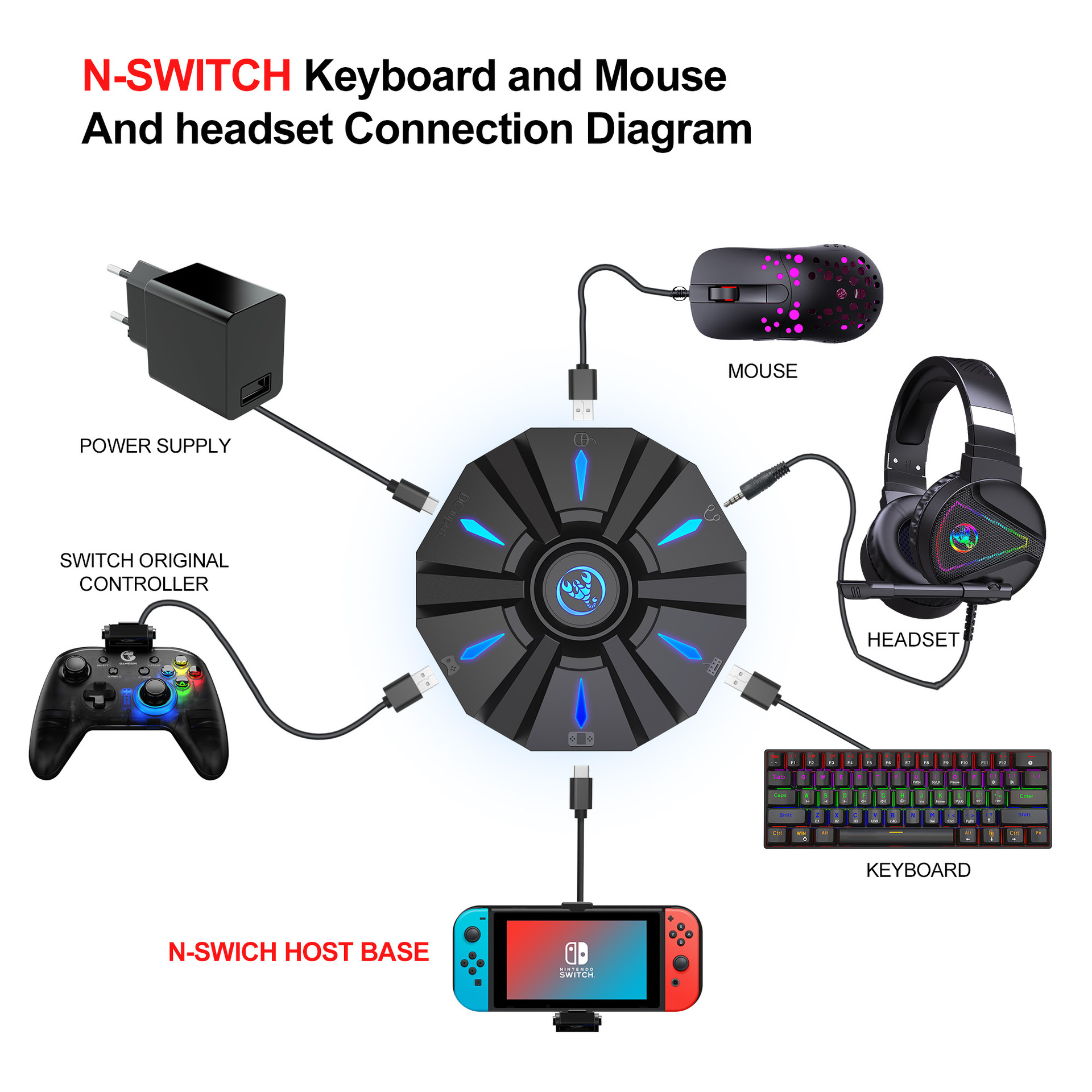
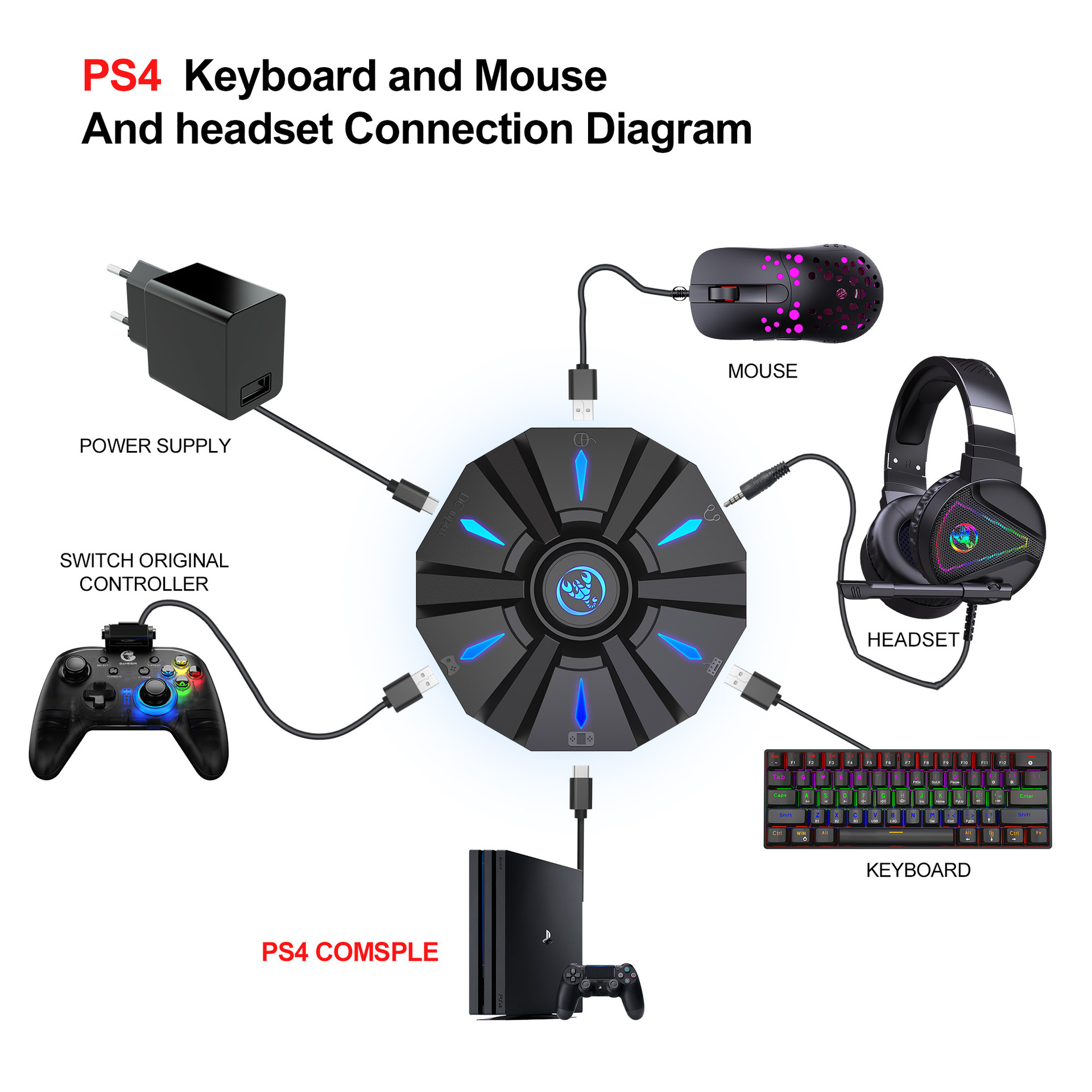
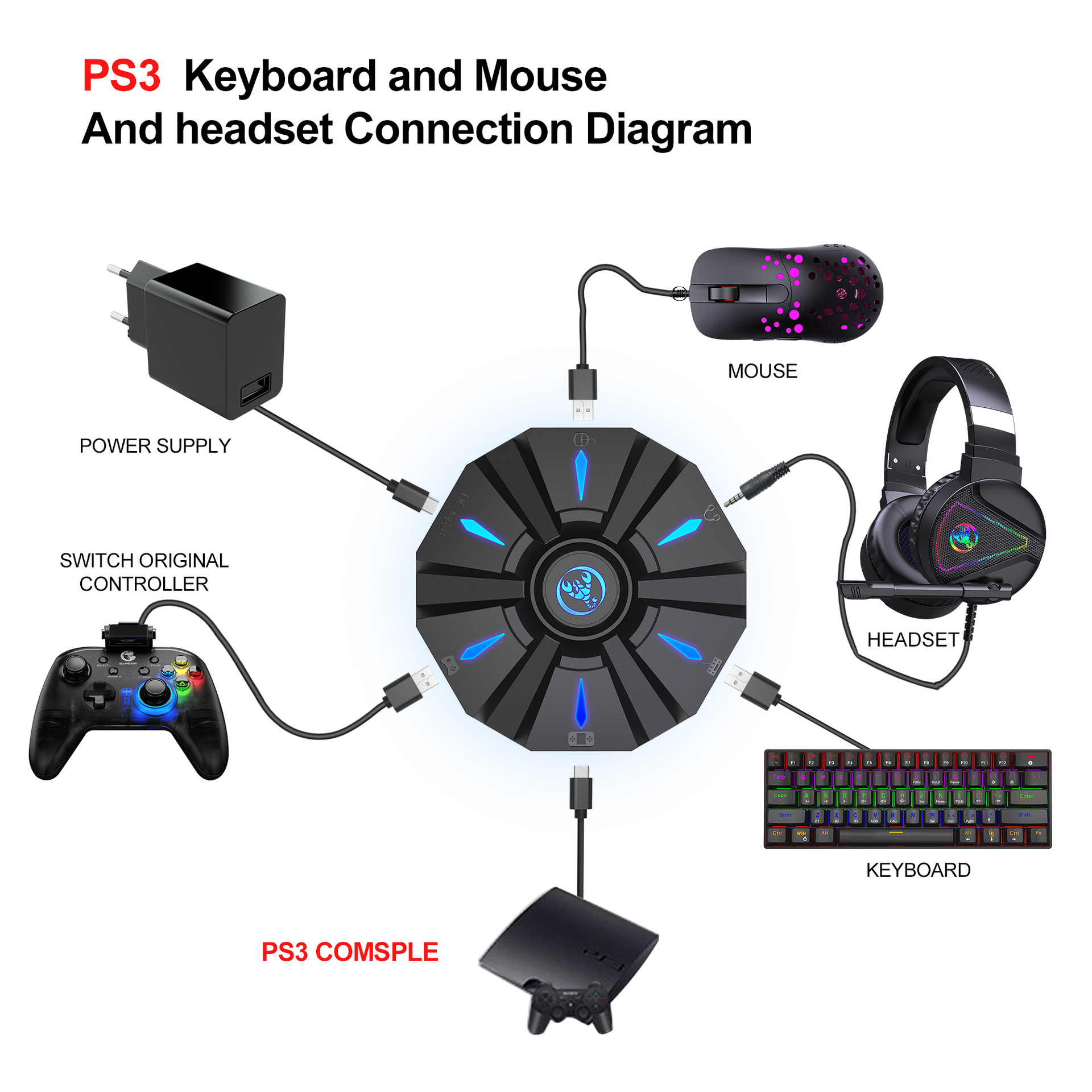
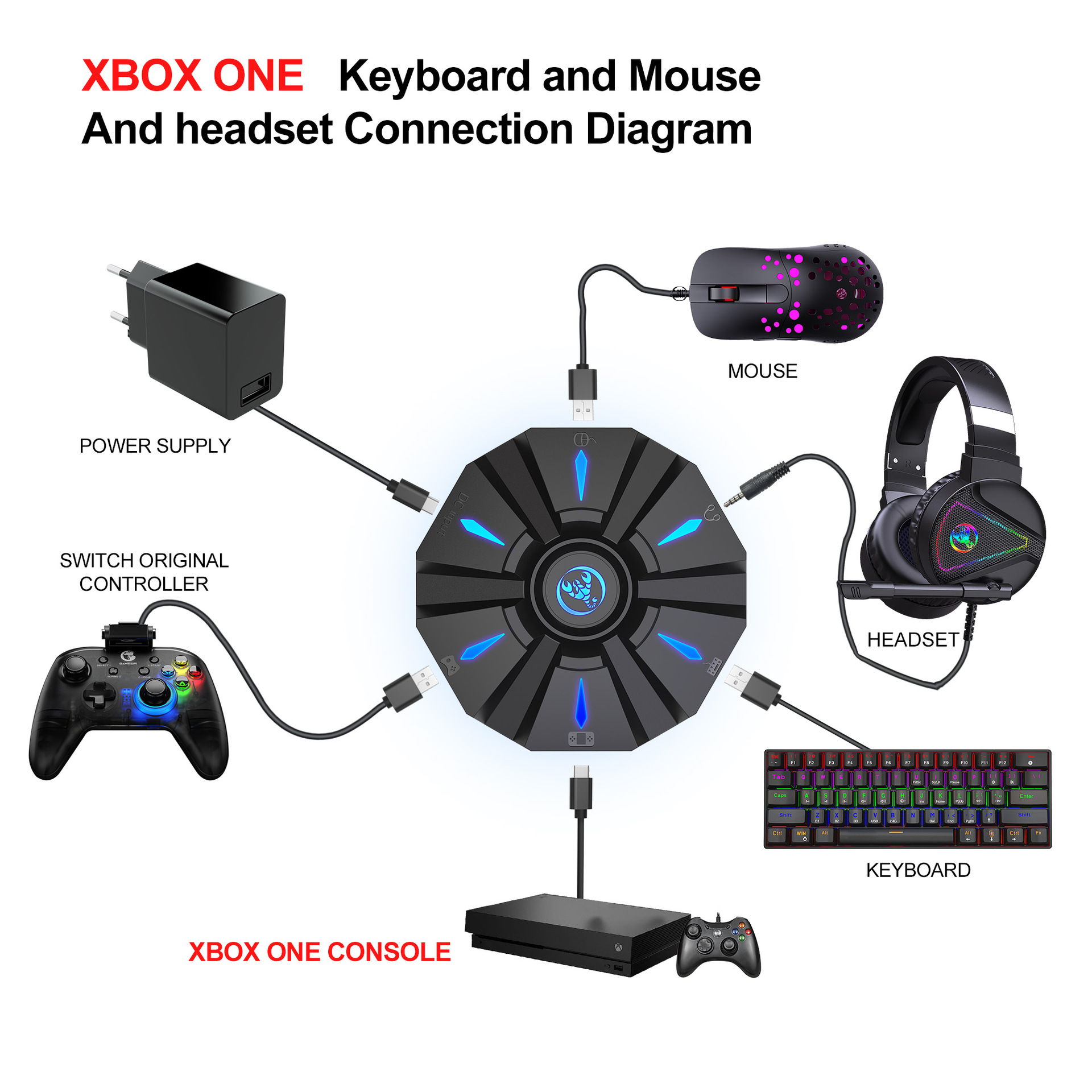
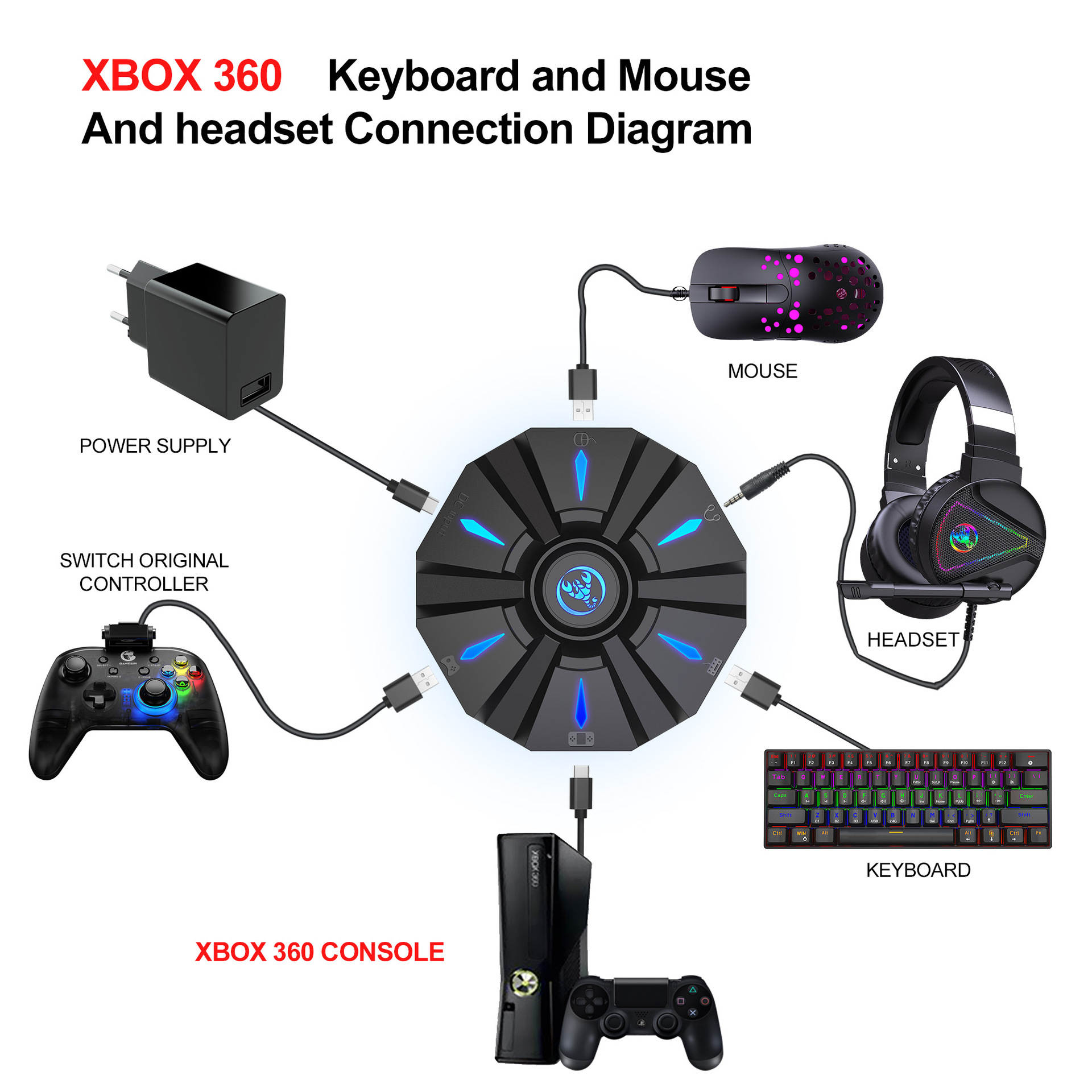
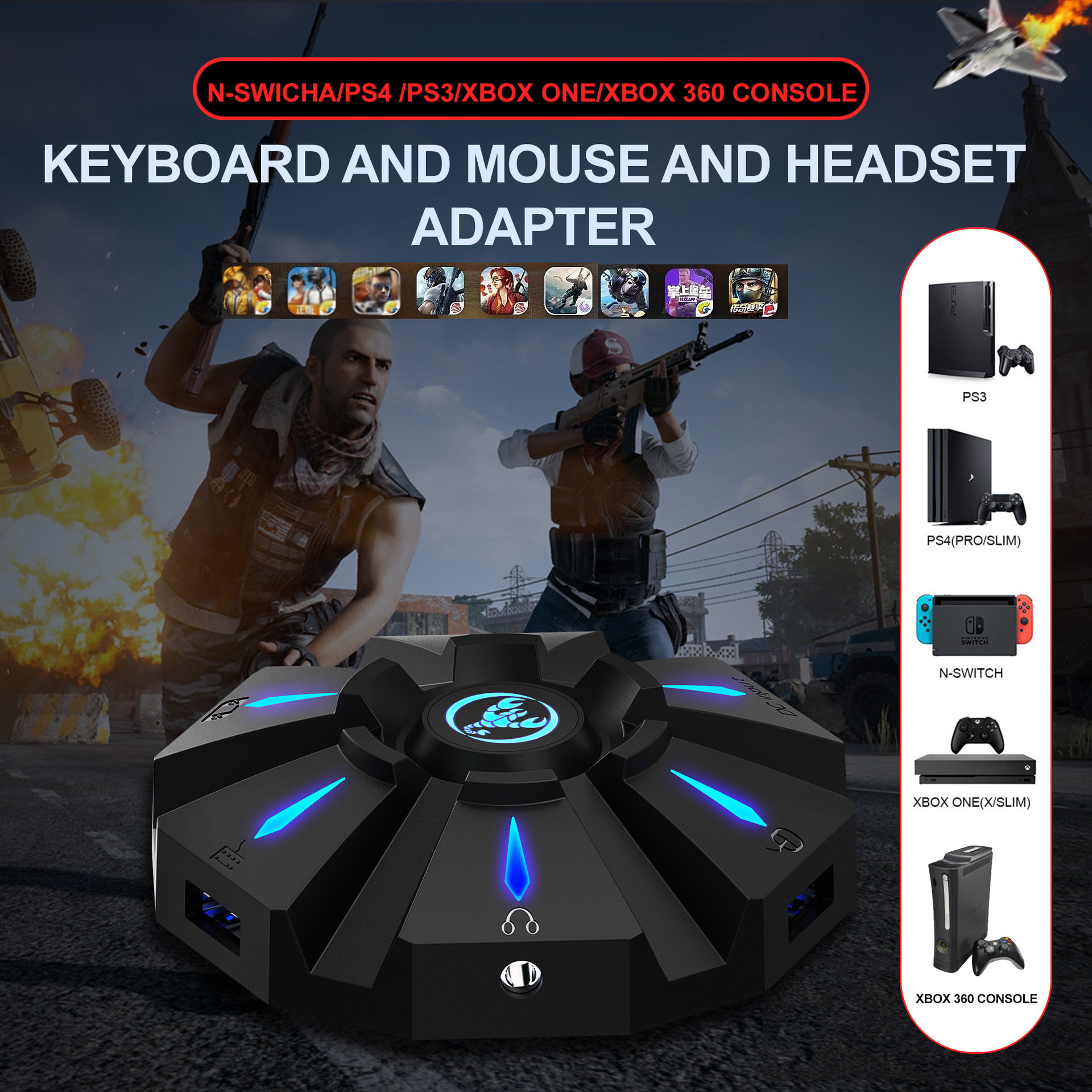
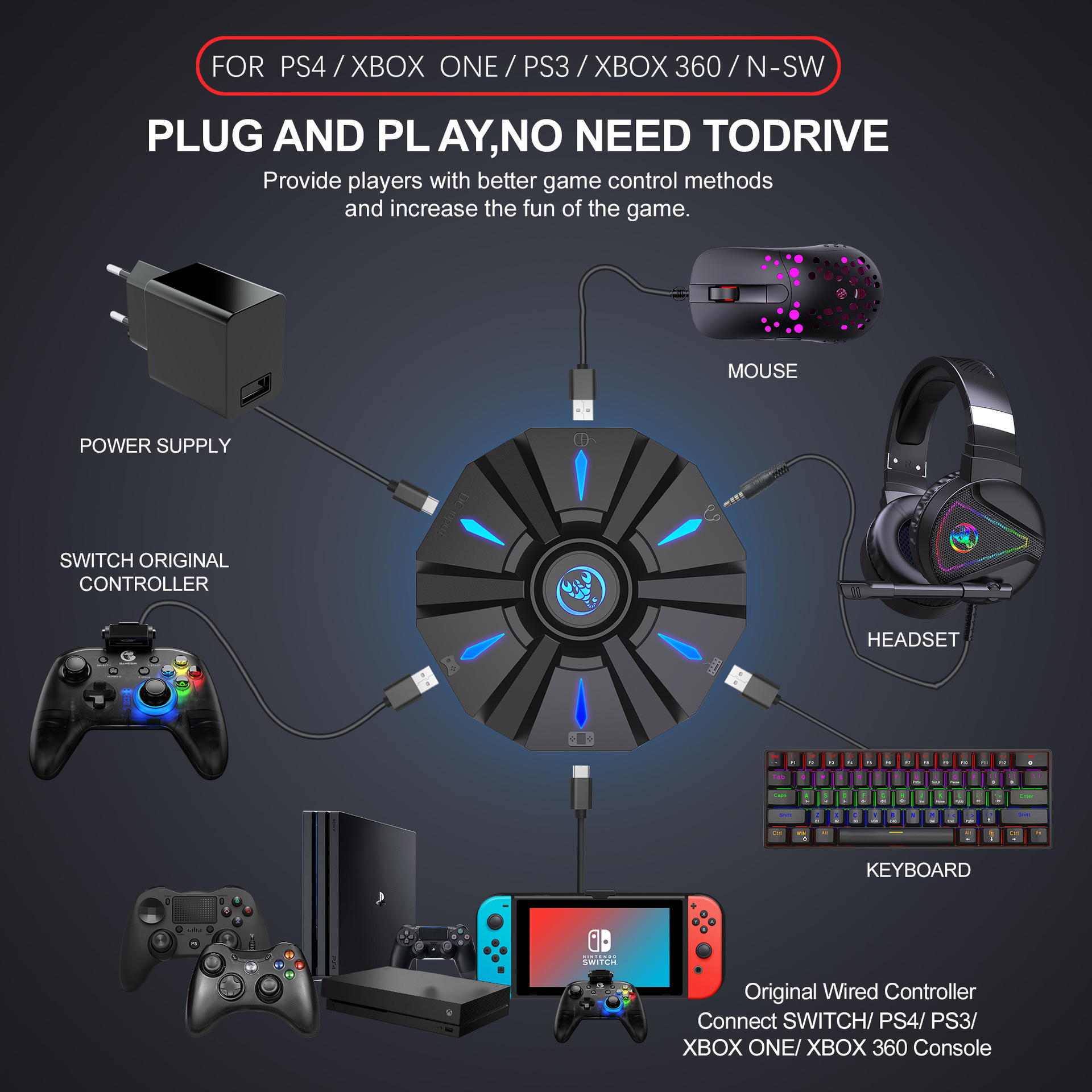
Suitable game consoles: PS4, Xbox One, PS3, Xbox 360, N-Switch
Packing list:
1 * Keyboard mouse converter
1 * User manual
2*TYPE-C Data cable charging cable (100cm length)
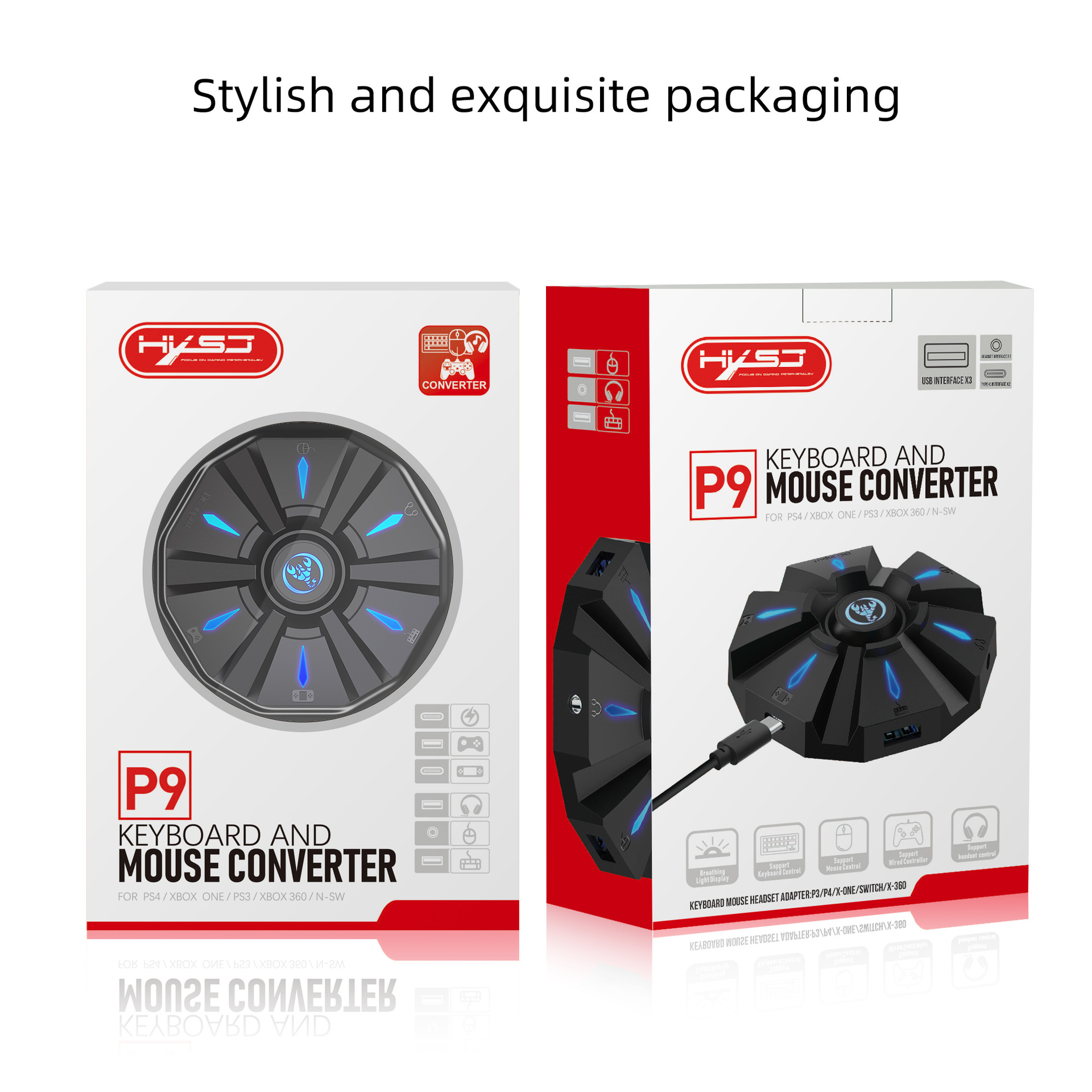
1*Color box English packaging
PRODUCT CONNECTION INSTRUCTIONS:
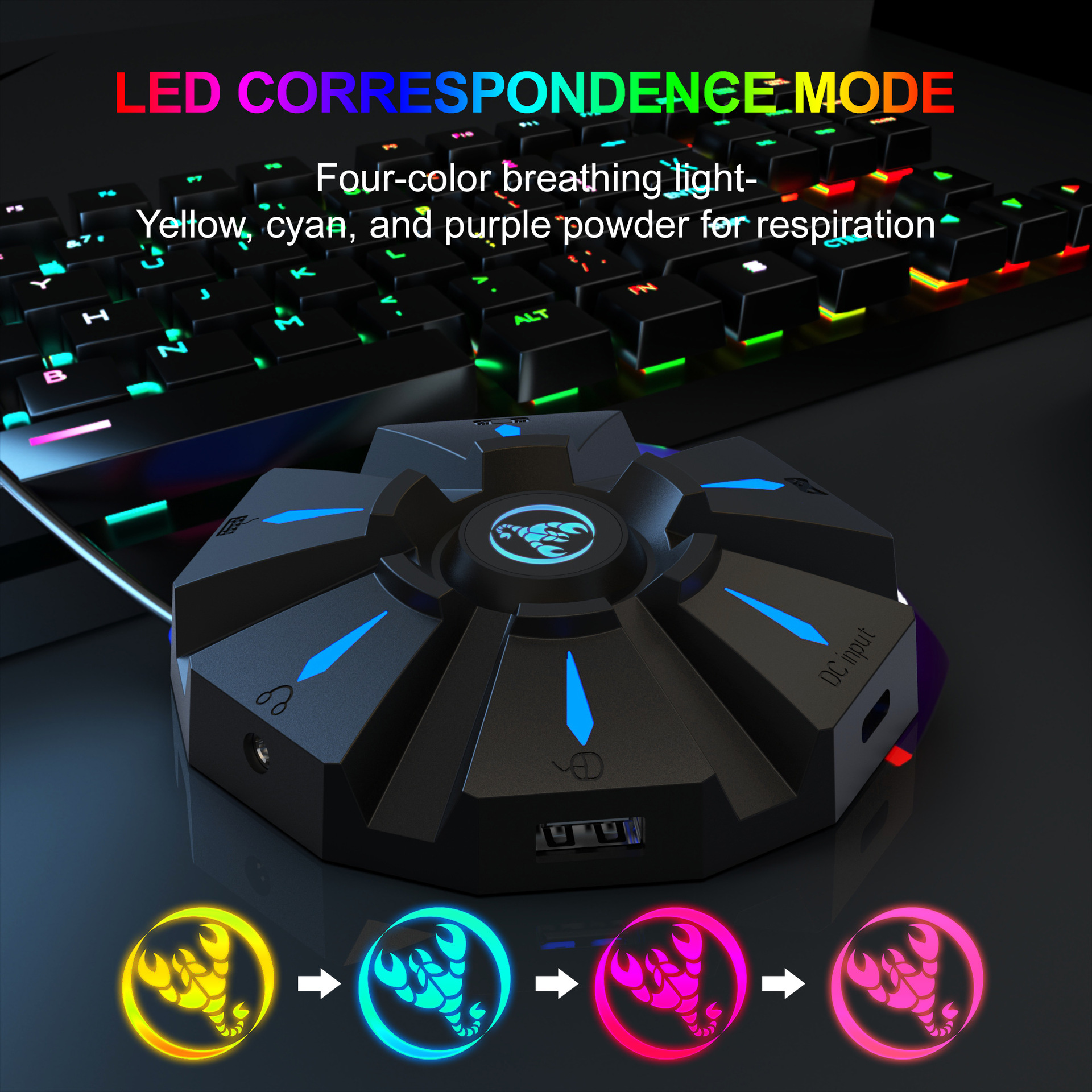
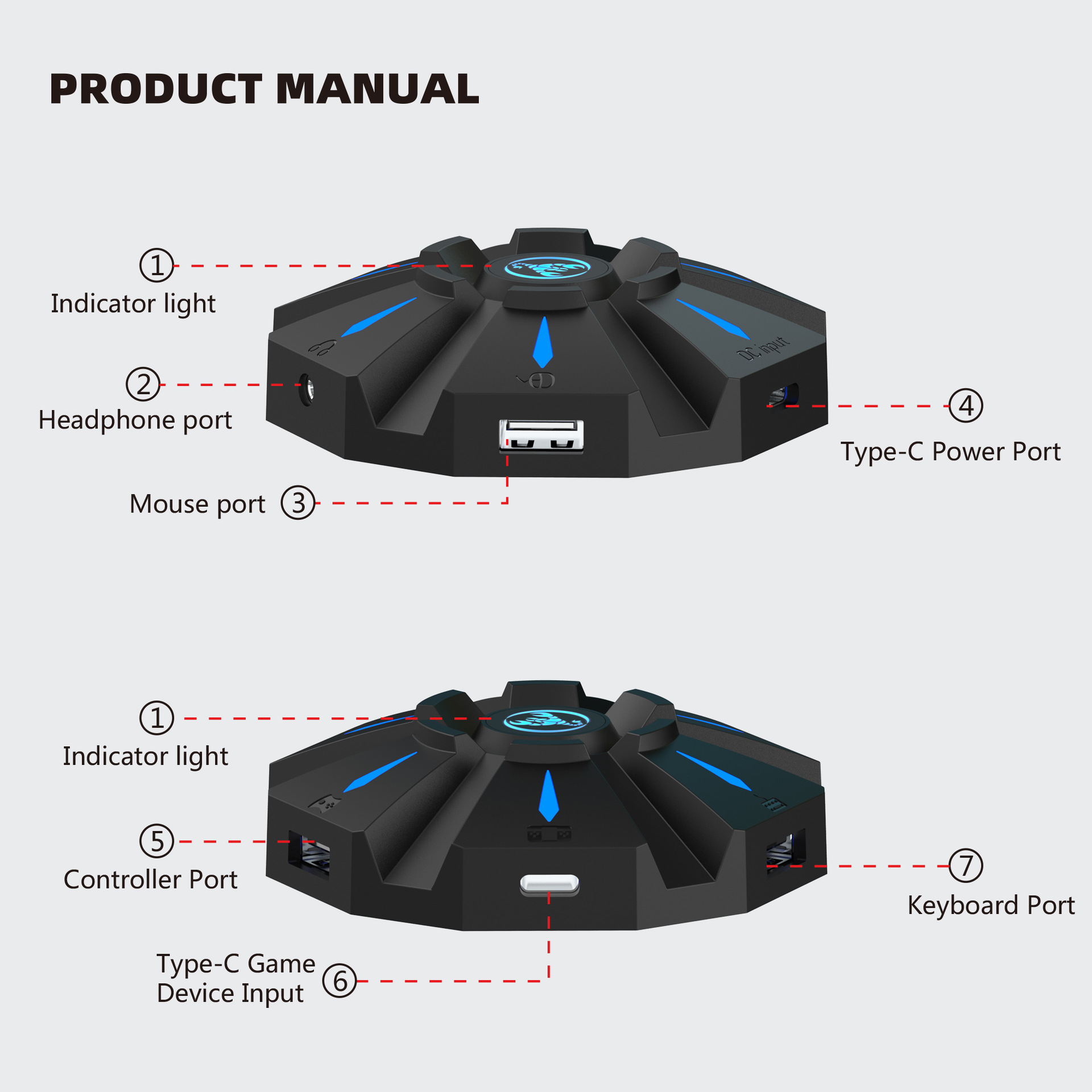
Start the console and connect the adapter via an USB TYPE-C data cable ( USB port plug to the console, TYPE-C port plug to the converter) then LED white light.Plug the original wired controller to guide the yellow LED light.Insert the keyboard then LED red light ;insert the mouse then LED green light.After all connected,the LED will breathe in circulation from yellow,cyan,purple and pink.
SETTING INSTRUCTIONS:
1、Set Keyboard And Mouse Functions
■Press the keyboard ESC + SPACE (space bar) at the same time to enter the function mode of setting the keyboard and mouse buttons (LED blue light)
■Press and hold the function button you want to set on the original controller, then press the button on the keyboard or mouse you want to set, and release the button on the original controller and the button on the keyboard or mouse.
■After the setting is completed, press ESC + SPACE on the keyboard to save the current setting and exit the setting mode.
■For example: press ESC + SPACE (space bar) to enter the setting mode, press and hold the original SWITCH controller A key, and then press the keyboard F key to release the original SWITCH controller A key. The function of the controller A key.
2、Note On Keyboard And Mouse Setting Functions:
■During the setting process, if you do not hold down the original controller function key or joystick to the end, the original set function of the keyboard or mouse will be cleared
■When setting the functions of the original joystick left and right to the keyboard, the direction of the joystick must be pushed to the end, and only the four directions of the joystick up, down, left, and right can be set.
■For the setting of the mouse, when the original joystick direction must be pushed to the end, the mouse slides in the corresponding direction, and the mouse only supports the corresponding function of the left and right joystick directions.
■Original controller cross key supports 8 directions setting
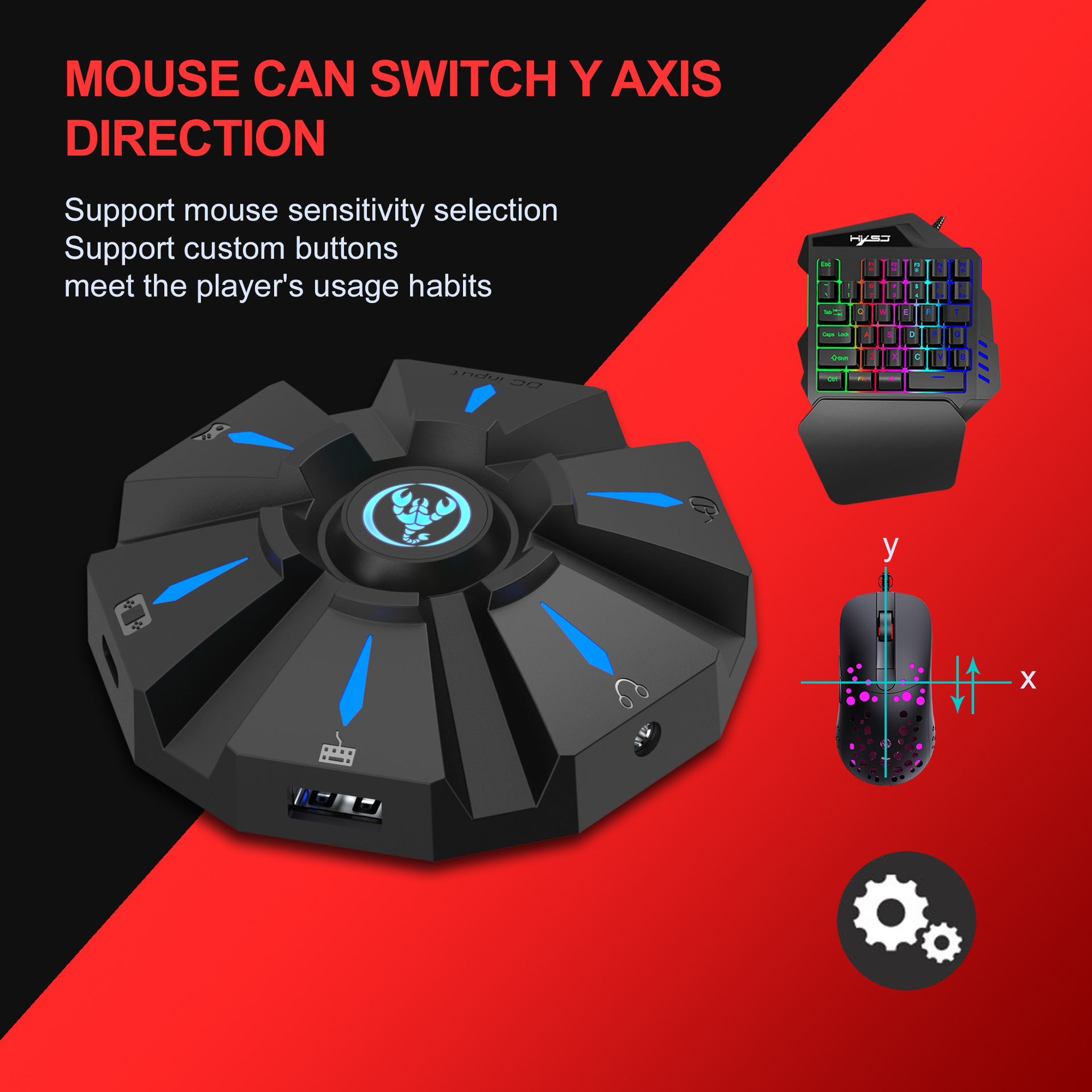
3、Mouse Speed Adjustment:
■The product supports mouse movement speed adjustment, the default is the third gear.
■Shaft speed adjustment: ESC + CAPSLOCK+A/ S/ D/ F / G
4、Mouse Y Axis Direction Switch:
The control of the Y axis of some games is opposite to the set value.The game operator can adjust the Y axis direction of the mouse according to his needs by pressing ESC + R.
5、Function Switching Instructions:
■Enter setting mode: ESC + SPACE
■Default page 1: SC+ CTRL + Q
■Exit setting mode: ESC + SPACE
■Mouse speed switch: ESC + CAPSLOCK+A/ S/D/ F / G
■Y axis plus reverse: ESC + R
■Page area selection: ESC+ TAB+Q /W/ E/ R/ T
■Key value restore default: SC + CTRL + ALT (long press for 3 seconds)
6、Upgrade Instructions:
(you cannot upgrade at will without the correct upgrade program)
■On a Windows computer, open the upgrade software. When the converter does not enter the upgrade mode, "Update rm ware" is light gray.
■Connect the converter to the computer through the USB data cable. At this time, the converter's white LED is on, plug in the keyboard and the red LED is on. Press the keyboard SC+ CTRL + ALT + SPACE and hold it for 3s. At this time, the "Update rm ware "Is black, click the button"Update rm ware "to update the converter rm ware.
■The OK window pops up and displays "Update Success", indicating that the upgrade is complete. Click OK.
SETTING INSTRUCTIONS :
I The conversion box is connected to the console and not connected to the external devices, and is displayed as a white light.
■Insert the original controller to guide and display the yellow light,
insert the rst device to light red, then insert another device to turn on the green light, successfully turn yellow, and then the color of the breathing light will turn yellow, green, purple and pink (circulation).
Each color breathes 4 times to change one color.
Press the set key function to light up blue.
PRECAUTIO NS:
■To ensure the normal use of di erent consoles by keyboard and mouse, you must use the original controller (supporting wired functions) corresponding to each platform to guide.
■The keyboard and mouse interface cannot be connected to the controller.
■Supports 95% of keyboards and mice on the market. If you encounter incompatibilities, please provide the actual product to customer service for up grade.
Shipping information
- No EU import duties.
- Ships within 1-2 business days.
- Ships in our fully recyclable and biodegradable signature boxes.
Couldn't load pickup availability


Got Questions? *We've Got Answers.*
How fast will my order arrive?
We process all orders within 1-2 business days. Standard US delivery takes 3-7 business days and is fully tracked from our warehouse to your door. Expedited options are available at checkout. You'll receive a tracking number as soon as your order ships.
What is your return policy?
We offer a 30-day hassle-free return policy. If you're not completely satisfied with your purchase for any reason, simply contact our support team and we'll arrange a return or exchange — no drama, no questions asked. Your satisfaction is our obsession.
Are your products authentic and safe?
Absolutely. Every product on Elusive Wonders is sourced from verified suppliers and passes our strict quality check before it reaches you. We are committed to offering only authentic, safe, and high-quality products. If you ever have concerns about a product, our support team is here to help.
Can I track my order?
Yes! Once your order ships, you'll receive a confirmation email with your tracking number. You can use this to monitor your delivery in real time. If you have any issues with tracking, reach out to our support team and we'll sort it out immediately.